
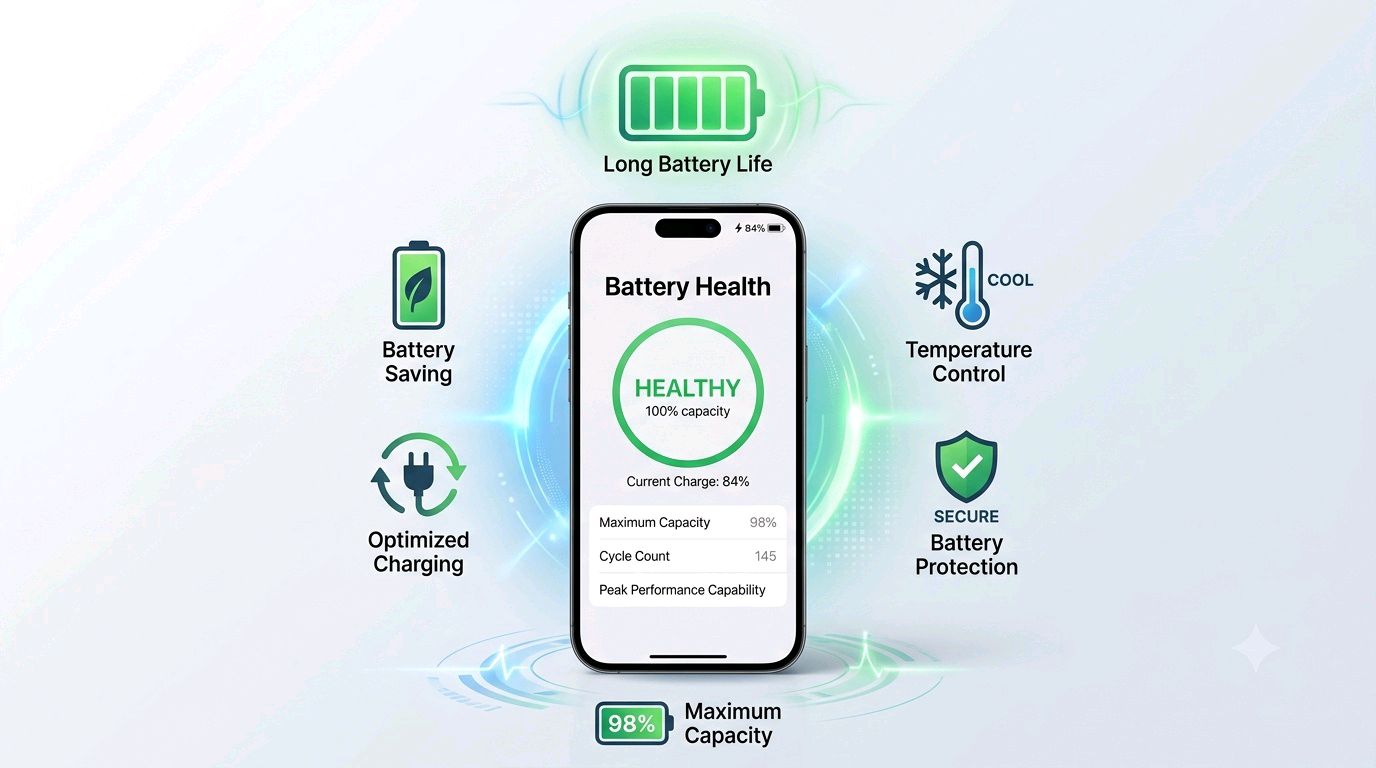
How can you increase mobile battery life? The best way is to avoid unnecessary heat, reduce extreme charging habits, control power-hungry apps, use appropriate charging accessories, and keep the battery within a moderate charge range whenever practical. You should also regularly check smartphone battery health to understand whether the battery is still performing normally or has started to degrade.
A phone battery naturally loses capacity over time because modern smartphones generally use rechargeable lithium-ion or lithium-polymer battery technology. However, good charging habits and proper temperature management can help maintain battery performance for longer. This guide explains how to increase battery life, how to check battery health, how to identify battery quality, and how to know whether a newly purchased phone has a good battery.
How to Increase Mobile Battery Life and Battery Health
If your phone battery is draining quickly, do not immediately assume that the battery is defective. High screen brightness, weak network signals, background apps, gaming, GPS, high refresh rates, excessive heat, and demanding applications can all increase power consumption.
The important difference is between battery life and battery health. Battery life means how long the phone runs between charges. Battery health describes the battery's remaining capacity and overall condition compared with when it was new.
Main Topics
Charging Habits Control Heat Battery Settings Check Battery Health Check Battery Quality New Phone Battery Common Mistakes FAQ1. Follow Better Charging Habits
Charging habits have a major effect on long-term battery performance. You do not need to follow complicated rules, but avoiding extreme conditions can help reduce unnecessary battery stress.
Do Not Regularly Keep the Battery at 0%
Allowing the phone to shut down because the battery has reached an extremely low level occasionally is not usually a serious problem. However, repeatedly running the battery completely empty is not an ideal everyday habit.
Whenever convenient, recharge your phone before it reaches an extremely low level.
Avoid Keeping the Phone at 100% for Long Periods
Modern smartphones include charging management features, so reaching 100% does not mean the battery will continuously receive the same charging current. Nevertheless, spending very long periods at a full charge, especially in a hot environment, can increase battery stress.
If your phone supports optimized charging, adaptive charging, or a charging limit, consider using the feature according to your usage pattern.
Use a Suitable Charger
Use the charger and cable recommended or supported by the phone manufacturer. A compatible high-quality charger can provide appropriate charging power and protection.
Important: Do not choose a charger only because it is cheap or has a high wattage rating. The phone, charger, cable, charging protocol, and safety protections should be compatible with each other.
2. Keep Your Phone Cool
Heat is one of the biggest enemies of rechargeable batteries. A phone can become hot while gaming, recording high-resolution video, using navigation, charging, or operating in direct sunlight.
Try to avoid charging your phone under a pillow, blanket, or other place where heat cannot escape.
- Do not leave your phone in direct sunlight for long periods.
- Avoid charging in extremely hot surroundings.
- Remove thick cases temporarily if they cause excessive heat during demanding use.
- Do not play intensive games while the phone is already very hot.
- Allow the device to cool naturally instead of using extreme cooling methods.
Simple rule: If your phone becomes unusually hot, reduce the workload and allow it to cool. Managing temperature is often more useful than trying to find a special battery-saving application.
3. Change Settings That Consume More Power
You can often improve daily battery life without changing your usage dramatically. A few settings can make a noticeable difference.
Reduce Screen Brightness
The display is one of the largest power consumers in many smartphones. Use automatic brightness or manually reduce brightness when a very bright screen is unnecessary.
Use a Suitable Screen Refresh Rate
High refresh rate displays can make scrolling feel smoother, but they can also consume more power depending on the phone and display technology. If maximum battery life is more important than smoothness, consider using an adaptive or lower refresh-rate mode when available.
Turn Off Unnecessary Features
Features such as Bluetooth, hotspot, GPS, NFC, and other wireless functions can consume additional energy when actively being used. You do not necessarily need to disable everything permanently. Simply turn off features that are not required for extended periods.
Use Dark Mode When It Makes Sense
Dark mode can reduce power consumption on OLED and AMOLED displays in some situations because darker pixels can use less energy. The actual benefit depends on the display, brightness, application, and amount of dark content.
4. Control Background Apps
Some applications continue performing tasks when you are not actively using them. Social media, cloud synchronization, location services, video applications, email services, and other apps can contribute to battery drain.
Open your phone's battery settings and identify applications that consume unusually high amounts of power.
- Uninstall applications you no longer use.
- Restrict unnecessary background activity.
- Review applications that frequently use location services.
- Disable unnecessary notifications.
- Keep applications updated when updates include important battery or stability improvements.
Do not blindly force-stop every application. Modern smartphone operating systems are designed to manage applications automatically, and repeatedly closing and reopening apps can sometimes increase power consumption.
5. Weak Network Signals Can Drain the Battery
When a phone struggles to maintain a mobile network connection, it may work harder to communicate with the network. This can contribute to increased battery consumption.
If you are in an area with very poor reception, battery drain may be higher than usual. Using a reliable Wi-Fi connection when appropriate can sometimes reduce mobile-network-related power consumption.
6. How to Check Smartphone Battery Health
Checking battery health helps you understand whether a battery is still close to its original capacity. The exact method depends on the smartphone manufacturer and operating system.
Check Battery Health on iPhone
On supported iPhone models, battery information can generally be found through the battery settings. Look for the Battery Health or similar battery-health section to view information such as maximum capacity and battery condition.
A lower maximum capacity means the battery can hold less charge than when it was new. For example, if a battery originally had a certain capacity and its maximum capacity has fallen substantially, the phone may provide less runtime between charges.
Check Battery Information on Android Phones
Android phones do not all provide the same battery-health menu. Depending on the manufacturer and model, you may find battery condition, diagnostics, charging information, or battery usage under Settings.
Some manufacturers also provide built-in diagnostic tools through their support or device-care applications.
If your phone does not show battery health directly, a reputable battery-monitoring application may provide estimates such as battery capacity, charging current, temperature, and estimated health. However, these readings can be estimates rather than laboratory measurements.
7. Battery Health Percentage Does Not Tell Everything
Many people focus only on a battery-health percentage, but that number should not be treated as the complete story.
Battery performance can also be affected by temperature, charging cycles, battery age, software, power consumption, network conditions, and the phone's power-management system.
For this reason, a phone with a relatively good reported battery health can still have poor battery life if a particular application or hardware feature is consuming excessive power.
8. How to Know the Quality of a Phone Battery
If you have purchased a new phone and want to know whether its battery is good quality, battery capacity alone is not enough.
A larger capacity battery does not automatically mean a better battery. Battery quality is influenced by cell design, materials, manufacturing quality, thermal management, charging control, battery-management electronics, and the overall design of the smartphone.
Check the Official Battery Specifications
Start with the manufacturer's official specifications. Check the stated battery capacity and supported charging technology.
Do not rely only on advertisements or third-party product listings when comparing battery specifications.
Look at Battery Performance Reviews
Independent reviews can be useful because they can show real-world battery endurance under different conditions. Look for reviews that test screen-on time, video playback, gaming, standby usage, charging temperature, and charging speed rather than simply repeating the manufacturer's capacity number.
Check Battery Temperature
A phone that becomes excessively hot during ordinary charging or normal use deserves attention. Some warmth during charging or heavy workloads can be normal, but unusually high temperatures may indicate a problem with charging conditions, software, battery condition, or hardware.
Check Charging Behavior
A good smartphone should have a stable charging system. The charging speed may change as the battery fills, because modern charging systems commonly reduce charging power at higher charge levels.
Therefore, do not assume that a charger or battery is defective simply because charging becomes slower near the top of the battery range.
9. What Should You Check When Buying a New Phone?
If battery quality is important to you, do more than check the advertised mAh number.
| What to Check | Why It Matters |
|---|---|
| Battery capacity | Provides an indication of how much energy the battery can store. |
| Battery technology | Helps you understand the type of rechargeable cell and charging system used. |
| Charging support | Shows how quickly the phone can recharge under supported conditions. |
| Thermal management | Helps control heat during charging and demanding workloads. |
| Software optimization | Can significantly affect real-world battery life. |
| Independent battery tests | Give a better idea of actual battery endurance. |
| Warranty and service support | Important if the battery develops a manufacturing-related problem. |
10. How to Check Whether a New Phone's Battery Is Healthy
A newly purchased phone should generally deliver battery performance appropriate for its specifications and usage. However, battery life on the first few days may not represent normal long-term performance.
The phone may be installing applications, synchronizing accounts, downloading updates, indexing files, restoring backups, and learning your usage patterns.
Instead of judging the battery after only one charging cycle, observe it over several normal usage sessions.
Warning Signs to Watch For
- The battery percentage drops unusually quickly during light usage.
- The phone becomes very hot during simple tasks.
- The battery percentage suddenly jumps up or down.
- The phone unexpectedly shuts down even when the battery indicator shows significant charge.
- The device loses a large amount of battery while idle without an obvious reason.
- The battery appears swollen or the phone's body starts separating.
Safety warning: If a phone battery appears swollen, damaged, leaking, or unusually deformed, stop using and charging the device and seek professional service. Do not puncture, bend, or attempt to repair a damaged lithium battery yourself.
11. Does Fast Charging Damage the Battery?
Fast charging does not automatically mean that a battery will become unusable quickly. Modern smartphones are designed with charging controllers and thermal-management systems to regulate charging.
However, high charging power can produce more heat, and heat is an important factor in battery aging. This is why charging conditions matter.
If you need a quick top-up, fast charging can be useful. For routine charging, use the charging mode and accessories supported by your device and avoid unnecessary heat.
12. Should You Charge Your Phone Overnight?
Many modern smartphones include charging-management features designed to reduce the time the battery spends at a very high charge level. Whether overnight charging is appropriate depends on the phone, its charging system, and the environment.
If you charge overnight, keep the phone in a well-ventilated place and use a compatible charger. Avoid placing the phone under bedding or in a location where heat can build up.
13. Common Battery Mistakes to Avoid
- Using poor-quality chargers or cables: They may have inadequate safety or compatibility.
- Charging in extreme heat: High temperature can accelerate battery aging.
- Keeping maximum brightness all day: The display can consume substantial power.
- Ignoring abnormal battery drain: A rogue application may be responsible.
- Using unnecessary battery-cleaner apps: Some provide little benefit and may create additional background activity.
- Repeatedly draining the battery to empty: Avoid making this a routine habit.
- Buying a battery based only on mAh: Capacity is only one part of battery quality.
- Using the phone heavily while it is extremely hot: Allow it to cool first.
14. Best Everyday Battery-Saving Routine
If you want a simple routine instead of complicated battery rules, follow these practical habits:
- Keep the phone away from excessive heat.
- Use a compatible, good-quality charger and cable.
- Enable optimized or adaptive charging if your phone provides it.
- Keep the screen brightness at a comfortable level.
- Review battery usage regularly.
- Remove or restrict apps that consume excessive power unnecessarily.
- Use battery saver mode when you need longer emergency runtime.
- Avoid leaving the phone in direct sunlight.
- Keep your phone's software reasonably updated.
- Check battery health when you notice a significant change in performance.
15. Battery Life vs Battery Health: What Is the Difference?
| Battery Life | Battery Health |
|---|---|
| How long the phone operates on one charge. | How much the battery has degraded compared with its original condition. |
| Can change because of apps, display, network and settings. | Usually changes gradually as the battery ages. |
| Can often be improved through settings and usage habits. | Cannot normally be restored to new condition through software. |
| Measured through everyday runtime. | Estimated or reported through battery diagnostics. |
16. When Should You Consider Battery Replacement?
A battery may eventually need replacement when its capacity has significantly declined or when the phone shows symptoms such as unexpected shutdowns, severe runtime reduction, or abnormal battery behavior.
Do not replace a battery simply because it is no longer at its original maximum capacity. Consider the actual performance, battery condition, safety, and your phone's age.
For a swollen or physically damaged battery, safety is more important than battery-life optimization. Use an authorized or qualified repair service whenever possible.
Frequently Asked Questions About Mobile Battery Life
How can I increase my phone battery life?
Reduce unnecessary screen brightness, control background applications, avoid excessive heat, use optimized charging, maintain a good network connection when possible, and use battery saver mode when needed.
What is the best charging percentage for a phone battery?
There is no single percentage that every user must follow. Avoiding repeated extreme low-charge and high-charge conditions can reduce unnecessary stress. If your phone offers a charging limit or optimized charging feature, you can use it according to your needs.
How do I check my phone battery health?
On some phones, battery health is available directly in Settings. Other Android devices may provide battery diagnostics or device-care information. Third-party battery-monitoring apps can provide estimates when built-in information is unavailable.
How do I know whether a new phone has a good battery?
Check the official battery capacity, charging system, thermal management, independent battery tests, real-world runtime, warranty, and unusual heat or battery-drain behavior. Do not judge battery quality from mAh alone.
Does fast charging reduce battery health?
Fast charging itself does not automatically mean poor battery health. However, higher charging power can generate more heat, and excessive heat can contribute to battery aging. The phone's charging and thermal-management system are important.
Is it bad to use the phone while charging?
Light use while charging is generally not automatically harmful. The bigger concern is excessive heat, especially during intensive gaming, high-performance tasks, or charging in a poorly ventilated location.
Why does my phone battery drain quickly even when the battery health looks good?
Battery health is only one factor. High screen brightness, background applications, poor network reception, GPS, gaming, high refresh rates, software activity, and other features can cause rapid battery consumption.
Does a higher mAh battery always mean better battery life?
No. Battery capacity is important, but processor efficiency, display technology, software optimization, network conditions, refresh rate, and other hardware features also affect actual battery life.
What should I do if my phone battery is swollen?
Stop charging and using the device and seek professional service. Do not puncture, squeeze, bend, or attempt to open a swollen lithium battery yourself.
Conclusion
Increasing mobile battery life is mainly about controlling heat, using sensible charging habits, reducing unnecessary power consumption, and monitoring battery condition. You do not need to follow complicated battery myths or install several battery-cleaning applications.
When buying a new smartphone, remember that battery capacity alone does not determine battery quality. Look at real-world battery tests, charging technology, thermal management, software optimization, battery diagnostics, and manufacturer support.
Finally, check your battery health when you notice a meaningful change in runtime or charging behavior. A healthy battery combined with efficient settings and good temperature management can provide a much better everyday smartphone experience.
Disclaimer
This article is provided for general informational and educational purposes. Battery-health menus, charging features, battery specifications, and diagnostic options can vary between smartphone manufacturers, models, operating systems, and regions. Battery-health percentages from software tools may be estimates and should not be treated as professional laboratory measurements. If a battery is swollen, physically damaged, leaking, or behaving dangerously, stop using the device and contact the manufacturer or a qualified service professional.